The Podcast Guest Gear Checklist
What you actually need to sound and look like you belong there, in the order it matters.
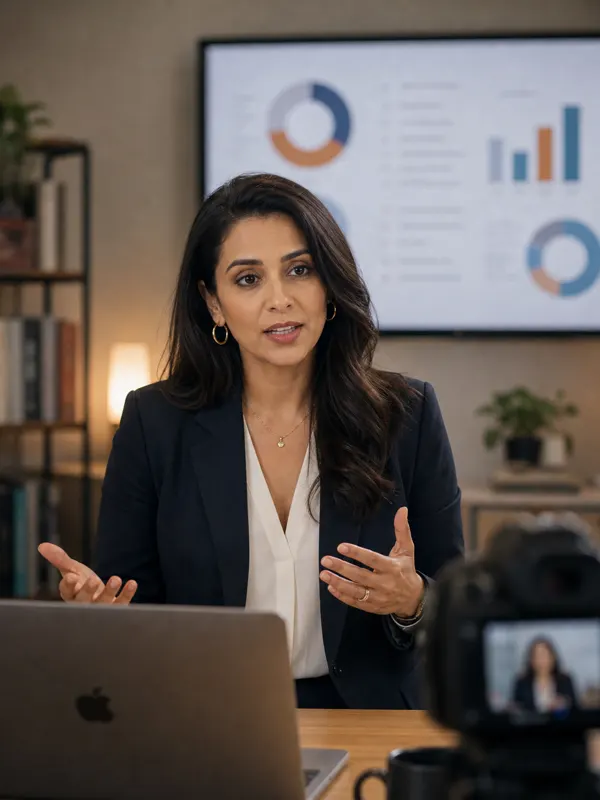
A podcast guest needs five things, in this order: a dedicated microphone about six inches from your mouth, wired closed-back headphones, a camera at eye level, one soft light in front of you, and a wired internet connection. Budget around $300 to $500 total. Sound matters more than picture, and both matter less than preparation.
You do not need a studio to be a good podcast guest. You need to not be the reason the episode sounds bad.
Here is the honest order of operations. Sound matters more than picture, picture matters more than resolution, and every one of them matters less than being ready to say something worth hearing. Work down this list in order and stop when the budget runs out. The first three items get you most of the way there.
What microphone should a podcast guest use?
The single biggest upgrade you can make. Laptop and AirPod microphones pick up the whole room, so you sound distant and thin next to a host on a broadcast mic. A dedicated microphone six inches from your mouth fixes that before anything else does.
People worry about the wrong things. In twenty years of training I have only had a handful of clients whose actual voice was the problem. The microphone, the eye line and the energy are what people notice.Jess Todtfeld
Shure MV7+
Broadcast dynamic capsule that rejects room noise, plugs in over USB-C, and also runs XLR later if you grow into an interface. Onboard voice isolation cleans up an untreated home office.
View product →RODE PodMic USB
Most of the MV7+ sound for meaningfully less. Same dynamic, close-mic behavior that keeps your room out of the recording. USB and XLR both.
View product →Samson Q2U
The long-standing answer to 'I need to sound good on Thursday and I do not want to spend much.' Dynamic capsule, USB and XLR, comes with a stand and cable.
View product →Do you need a boom arm for a podcast interview?
A microphone sitting on the desk picks up every keyboard tap and coffee cup. An arm puts the mic where your mouth is, keeps it out of your face on camera, and lets you sit up straight instead of leaning down into it.
If the mic is in the shot, get it low and off to one side. You want people looking at your face, not at your equipment.Jess Todtfeld
RODE PSA1+
The arm most studios settle on. Silent damped springs, internal cable routing, holds a heavy dynamic mic without drooping mid-interview.
View product →Elgato Wave Mic Arm LP
Low profile by design: it comes in from below and stays under the camera line, so the arm does not cut across your face on video.
View product →A weighted desk stand
If you never move the mic, a heavy round-base desk stand on a foam pad does the job. Skip the flimsy tripod that came in the box.
Why do podcast guests have to wear headphones?
Headphones are not optional. Without them the host's voice comes out of your speakers, back into your microphone, and lands in the recording as echo that no editor can fully remove. Wired, so there is no Bluetooth lag or mid-interview battery death.
This is the one item guests skip and hosts notice immediately. Wear the headphones.Jess Todtfeld
Sony MDR-7506
The broadcast standard since 1991 for a reason. Closed back, flat, folds up, and you can find a replacement anywhere in the world.
View product →Audio-Technica ATH-M40x
Honest, closed back, comfortable for a long session, and cheap enough to keep a second pair in a bag.
View product →Beyerdynamic DT 770 PRO
The pick if you record long sessions or wear glasses. Velour pads stay comfortable well past the point where other closed-backs start to hurt.
View product →What camera do you need for a video podcast interview?
Most video podcasts publish at 1080p, so you do not need cinema gear. You need a sensor bigger than the pinhole in your laptop lid, and you need it at eye level. A laptop camera is almost always pointed up your nose.
Nobody would choose shooting up their nose. People accept it every day because it is built into the laptop. Books or a box under the laptop fixes it for nothing.Jess Todtfeld
Logitech MX Brio
4K sensor, good autofocus, works everywhere without drivers. The safe answer for a guest who wants to look sharp and not think about it again.
View product →OBSBOT Meet 2
Larger sensor than most webcams, AI framing that keeps you centered when you move, and small enough to travel with.
View product →Your phone, mounted
A recent phone has a better camera than most webcams. Mount it at eye level and use Continuity Camera on Mac or a capture app on Windows.
How should you light yourself for a podcast interview?
Lighting changes how you look more than the camera does. One soft light slightly above eye level and in front of you beats an expensive camera in a dark room, every time. The window behind you is the enemy.
If you wear glasses and the light reflects, tilt the frames down slightly from the back rather than taking them off. The reflection disappears and nobody can tell.Jess Todtfeld
Elgato Key Light Neo
Clamps to the desk, diffused so it is soft rather than glaring, and dims from an app so you are not crawling behind the monitor.
View product →Logitech Litra Glow
Clips on top of the monitor and solves most of the problem for most people. The lowest-effort real fix on this list.
View product →Aputure amaran 60d S with a softbox
A real COB light with a Bowens mount, so you can put a proper softbox on it. This is the step up when you want the lighting to look intentional.
View product →How do you stop your internet ruining a remote interview?
Wi-Fi drops mid-sentence and the recording carries the damage. This category costs nothing and saves more interviews than any microphone.
Modern podcast platforms record on your machine and upload afterward, so a wobble mid-call does not always ruin the file. Do not count on it.Jess Todtfeld
An ethernet cable
Plug into the router. It removes the single most common cause of a ruined remote interview. A USB-C to ethernet adapter is another ten dollars.
Your phone as a hotspot
Set it up and test it BEFORE you need it, so switching over takes fifteen seconds instead of five minutes of apologizing.
Quit the background sync apps
Dropbox, Google Drive, OneDrive, Time Machine and system updates all fight you for bandwidth. Quit them, do not just close the window.
Common questions
What is the minimum gear a podcast guest actually needs?
A dynamic USB microphone and wired closed-back headphones. Those two items fix the problems hosts notice most: room echo and audio bleed. Everything else, including the camera and lighting, is an improvement rather than a fix. A guest with a $70 Samson Q2U and $100 Sony MDR-7506 headphones already sounds better than most.
Are AirPods good enough for a podcast interview?
No. AirPods and other Bluetooth earbuds compress your voice heavily, add latency, and can drop out mid-answer. They also switch the microphone into a low-quality call mode. Wired headphones plus almost any dedicated microphone will sound dramatically better, and cost less.
Do I need a boom arm, or is a desk stand fine?
A desk stand is fine if the microphone never moves and your desk is stable. A boom arm earns its money in two situations: your desk transmits keyboard and coffee-cup noise into the recording, or you are on video and want the microphone out of your face. For video, choose a low-profile arm that comes in from below the camera line.
How much should a podcast guest spend on gear?
About $300 to $500 covers a genuinely good setup: roughly $200 for a microphone, $100 for headphones, $60 to $130 for a light, and a $10 ethernet cable. Spending more than that stops improving how you sound to a listener and starts improving how you sound to an audio engineer.
Does the gear matter more than what I say?
No, and it is not close. Gear removes reasons for a listener to leave. It does not give them a reason to stay. The parts that earn a follow-up booking are specific stories, naming the audience's problem before solving it, and giving them something to do. Gear just makes sure they can hear it.
The gear will not save a thin answer
Every item on this page is solvable with money in an afternoon. What people actually remember is whether you said something specific, whether you named their problem before you solved it, and whether you gave them something to do about it.
That is the part worth rehearsing. The microphone just makes sure they can hear it.
Being on the show is the easy part
Success in Media prepares executives, authors and founders for the interview itself: the stories, the structure, the calls to action, and the practice that makes it land. Jess Todtfeld is a former ABC, NBC and Fox television producer with 13 years behind the desk deciding who was worth booking.
Speak with JessLast reviewed September 2026. Approximate street prices in USD, checked September 2026. Prices move. Treat these as a range, not a quote.
A real microphone
- Shure MV7+ $279 · Top pick
- RODE PodMic USB $199 · Best value
- Samson Q2U $70 · Best budget
A boom arm or a stand
- RODE PSA1+ $115 · Top pick
- Elgato Wave Mic Arm LP $100 · Best for video
- A weighted desk stand $25 to $40 · Best budget
Wired closed-back headphones
- Sony MDR-7506 $100 · Top pick
- Audio-Technica ATH-M40x $99 · Best value
- Beyerdynamic DT 770 PRO $179 · Most comfortable
A camera better than the one in your laptop
- Logitech MX Brio $130 · Top pick
- OBSBOT Meet 2 $199 · Best compact
- Your phone, mounted Free · Best budget
One light in front of you
- Elgato Key Light Neo $100 · Top pick
- Logitech Litra Glow $59 · Best value
- Aputure amaran 60d S with a softbox $189 · Best quality
A connection that will not embarrass you
- An ethernet cable $10 · Top pick
- Your phone as a hotspot Free · The backup
- Quit the background sync apps Free · Free fix